
Appearance
Hand-offs
A hand-off is Claire passing a lead to a person. It's how Claire says "this one needs you now".
When Claire creates a hand-off
A hand-off means the lead is ready for you. There are four reasons:
- A meeting was booked.
- A buyer or seller looks ready to act. Claire only says so when the lead's own words back it up.
- The lead asked for a person or a call.
- A seller on a call mentions a clock they did not choose, such as a closing date, a deal at risk, a decide-by date or a hard deadline. Claire files a high-urgency hand-off at once, and the lead's assigned person also gets a task titled Urgent: call, due now. There is at most one open urgent task per contact at a time.
Yapii checks each one against the record before it counts: the message or call where the lead said it, or the booking itself. If that proof isn't there, it isn't filed as a hand-off. It goes under Needs a reply instead, so a person is still told.
She doesn't create a hand-off for a reply that came from a machine, such as an auto-reply or voicemail. "Looks ready" and "asked for a call" have to be the lead's own words in the conversation, not something Claire inferred earlier.
Needs a reply
Some leads wrote in and aren't going to get an answer from Claire. That isn't a hand-off, because nothing says the lead is ready, but somebody still owes them a reply. The Hand-offs page lists only genuine hand-offs. You find these on the Claire page instead: Needs a reply under Needs you on the Overview tab opens the list of people. Each one also raises an alert that starts Needs a reply: and opens the contact, where you can read the conversation and answer. Mark handled takes a person out of that list once you dealt with them elsewhere (see Mark handled). The reasons are:
- The lead wrote in a language Claire doesn't handle.
- The lead replied while Claire was paused.
- The lead asked for something only a person can give them, such as homes under a price they named, a showing, or listings sent over. Claire doesn't reply at all, not even to say someone will be in touch, because a reply would read as an answer. She stops on that lead.
- The lead said yes to something Claire offered, such as sending a guide or having the agent follow up. Claire can't deliver that herself, so she doesn't reply, and the lead goes to a person.
- A reply sat unanswered. After about 10 minutes Yapii tries Claire again, and if the message is still unanswered about 10 minutes later, it goes to a person. A reply that needs nobody to act on it doesn't count: a message that is only a no or only thanks, an emoji or punctuation on its own, or a phone's "I'm driving" auto-reply. A thumbs-up, an OK hand, a check mark, raised hands or a handshake might mean yes, so those still go to a person.
- A reply reached you more than a day after it was sent. Claire doesn't answer it and books no callback from it, because nobody knows whether the person still wants what they asked for. The alert says how old the message is.
- A conversation stalled: Claire stopped with nothing scheduled and no reason given, and it stayed that way for about a day.
Age is about the one message, not the conversation. A fresh reply on a thread you started last year is current and Claire treats it that way. For an email, Yapii goes by the time the sender's own system says it was sent; a text carries no send time, so Yapii goes by when it arrived, and the alert says which of the two it used.
A lead that needs a reply is never counted as a hand-off: not in the sidebar badge, not on the Open tab and not in any hand-off report.
They close on their own when the reason goes away:
- once you or Claire text the lead, or Claire emails them, it's marked answered. An email you send from your own mailbox doesn't close it, so resolve it yourself;
- if the lead opts out of texts after it came in, it's closed.
Where to find them
- On the Claire page, under Ready for You.
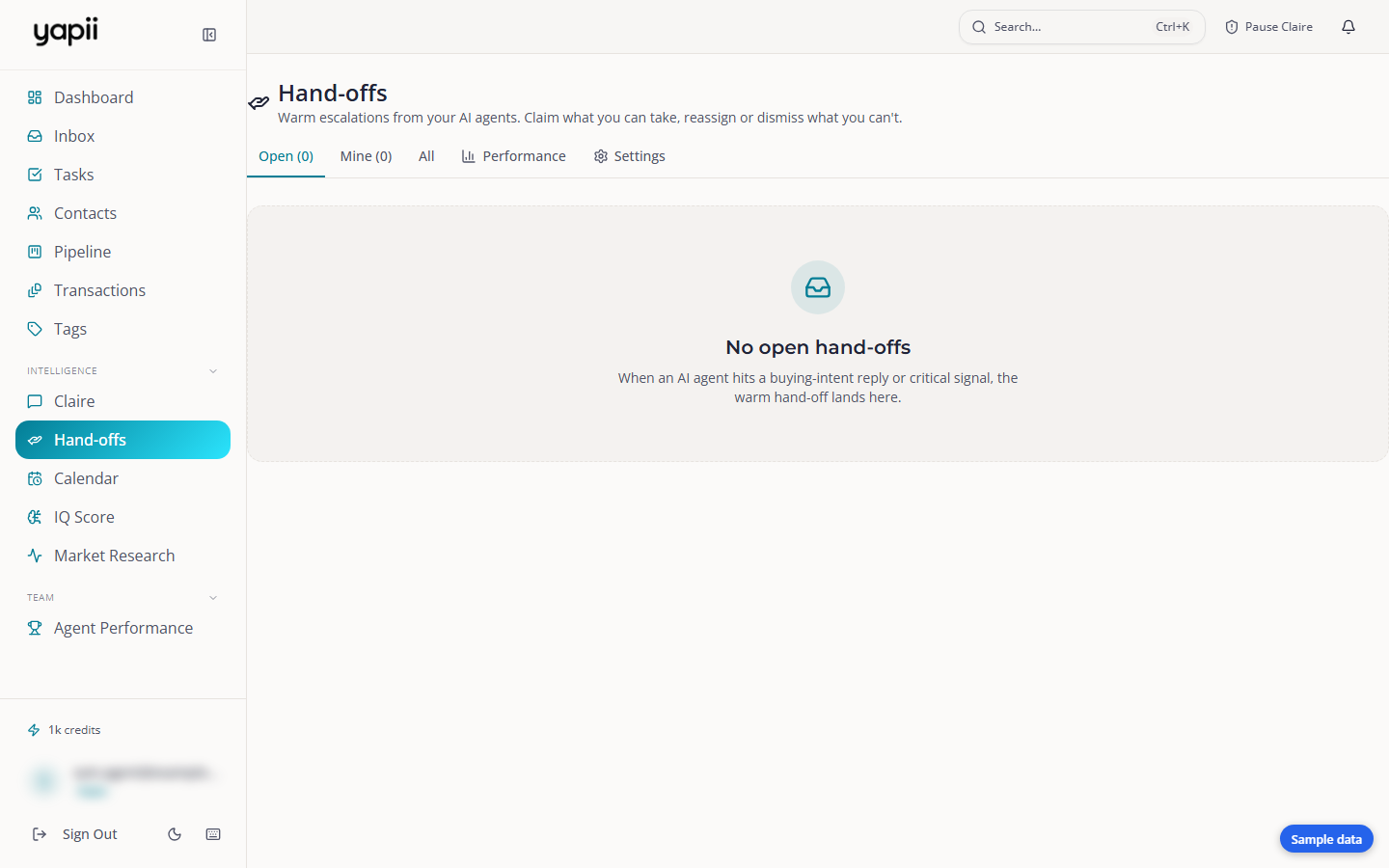
- On the Hand-offs page in the sidebar (team workspaces). It has tabs for Open, Mine, All, Performance and Settings, and refreshes on its own. It lists genuine hand-offs only. A hand-off that has been escalated carries an Escalated badge and is listed first.
When the Open tab is empty, Yapii explains why underneath. For example, Claire may be paused, switched off, or not set to send on her own (she is in Observe or Hold for approval), so she isn't starting the conversations that turn into hand-offs. It also tells you when she is set to reply only when a lead writes first, and when nobody on the team is allowed to work shared leads, so every hand-off goes to the workspace owner alone.
Each hand-off card shows:
- why it counts as a hand-off, for example Asked to talk to someone - from their text, with the lead's own words where there are some;
- how urgent it is;
- where the lead is;
- what Claire recommends doing;
- a suggested reply;
- the conversation so far, laid out as a chat. A line at the top says where it came from, such as Phone call with and the name or Text messages with and the name, with the date and time, how long the call lasted and how many turns it had. Claire's notes from a call are shown too. A long conversation shows the last few turns, with a button to show the earlier ones. Open on contact page opens the whole conversation on the contact.
A card that has expired or been closed has no buttons.
What you can do with a hand-off
| Action | What it does |
|---|---|
| Call / Text / Email / Open contact | Gets in touch, and claims the hand-off for you at the same time. |
| Claim | Takes the hand-off so teammates know you're on it. |
| Snooze | Hides it for an hour. |
| Reassign | Passes it to a teammate. |
| Dismiss | Removes it without action. |
| Resolve | Closes it with an outcome: connected, follow-up scheduled, meeting booked, deal moved forward, no action needed, or not a real hand-off. |
If two people try to claim the same hand-off, the first one gets it and the other is told.
In team workspaces, Claim may be replaced by a note when you're not licensed in the lead's state, so a licensed teammate can take it.
How urgent is it?
| Urgency | Typical reasons |
|---|---|
| High | Ready to list, meeting booked, caller asked for a person, a seller with a deadline. |
| Normal | Buyer ready, a reply Claire couldn't answer. |
| Low | Everything else. |
| Critical | Set by a person who escalates it on purpose. |
Who gets it
Yapii usually gives a new hand-off to the right person automatically, in this order:
- The lead's own agent. If the contact is assigned to an agent who is still active in your workspace and is allowed to work shared leads, the hand-off is theirs from the start.
- Otherwise, if you use Slack claiming for the lead's state, it is posted there and the first person to reply gets it.
- Otherwise, someone allowed to work shared leads, on the matching team or licensed in the lead's state, who can open that contact, and who has had the fewest hand-offs recently. If nobody who fits can open the lead, the hand-off stays unowned in Open rather than going to someone who could not see it.
If no one fits, it waits in Open for anyone to claim. Whoever owns a hand-off is always told about it, even if they would not normally be on the list for shared leads.
An alert names the lead, so it only reaches a person who can open that contact. Someone who is allowed to work shared leads but whose contact access leaves that lead out is not alerted, and does not see the lead's name. A Needs a reply alert, and an alert for a hand-off someone has already claimed, goes only to whoever claimed it and the lead's own agent, not to everyone who works shared leads. It reaches the person who claimed it only if they can open that contact, and the same goes for the lead's own agent. If neither can, it still goes to whoever it was raised under, so it reaches somebody.
If a hand-off sits for 4 hours without being resolved, Yapii flags it again with Still open and raises its urgency. That applies to hand-offs someone has already claimed, not only unclaimed ones. After 48 hours, hand-offs that nobody owns expire. A hand-off that has an owner, whether they claimed it or it was assigned to them, never expires on its own. It stays open until someone resolves, dismisses or reassigns it.
A hand-off where the lead told you something concrete doesn't expire quietly, for example when they named a price, gave a date or a near timeframe, or said they want to list. It still expires at 48 hours if nobody owns it, but Yapii sends an alert with Expired unworked in front of the lead's name, through your usual hand-off notifications. Everyone who can take shared leads and can open that contact gets it. Treat it as a lead that still needs a call.
Hand-off notifications
On the Hand-offs page, the Settings tab controls how you hear about new hand-offs:
- In the app;
- browser notifications;
- text messages to your phone, for hand-offs at or above the urgency you choose;
- quiet hours, when texts won't be sent to you. The default is 9 PM to 8 AM.
Text alerts are off for most people until they turn them on and add a phone number. The exception is the person who owns a hand-off. Until you save a choice of your own on the Settings tab, Yapii texts you about hand-offs assigned to you, at the phone number on your profile. Your urgency setting and quiet hours still apply, and with no phone number on your profile there is no text. Once you save your own choice, that choice is what counts.
When a meeting is booked for a lead who has an assigned agent, the alert goes to that agent, to whoever owns the hand-off, and to your workspace owners and admins. The rest of the team isn't alerted. A lead with no agent still alerts everyone who can take shared leads and can open that contact.
Claiming hand-offs in Slack
Owners and admins
A team that already hands out leads in Slack can let Yapii do the same with Claire's hand-offs. On the Hand-offs page, open Settings and find Slack claiming.
When it's on, a new hand-off for a lead in one of the states you list is posted to that state's Slack channel. The first person on your team to reply in the thread gets the hand-off and the contact, and Yapii sends them the lead's details in a direct message. Yapii knows who replied by the email on their Slack profile, so it has to be the same email they sign in to Yapii with. The post itself only shows the lead's first name, last initial, area, source and urgency, never a phone number or email.
If nobody replies within the time you set (5 minutes unless you change it), the hand-off goes to the next person in the usual rotation, so a lead is never left with nobody.
Only hand-offs for buyers are posted to the Slack channel. A seller, or a lead whose type Yapii does not know, goes to the usual pick of an owner instead. Items under Needs a reply are not posted.
To set it up:
- Set up your company's own Slack app. Your workspace connects to Slack through it, and Slack claiming walks you through creating it, step by step.
- Connect Slack on the Integrations page. That installs your app into your Slack.
- Add a row for each state, with the Slack channel ID. In Slack, click the channel name; the ID is at the bottom of the window and starts with C.
- Type
/invite @Yapiiin each channel. - Switch on Post handoffs to Slack for claiming and click Save.
- Click Send a test handoff to try it with a made-up contact called Test Buyer.